
1. Create Account
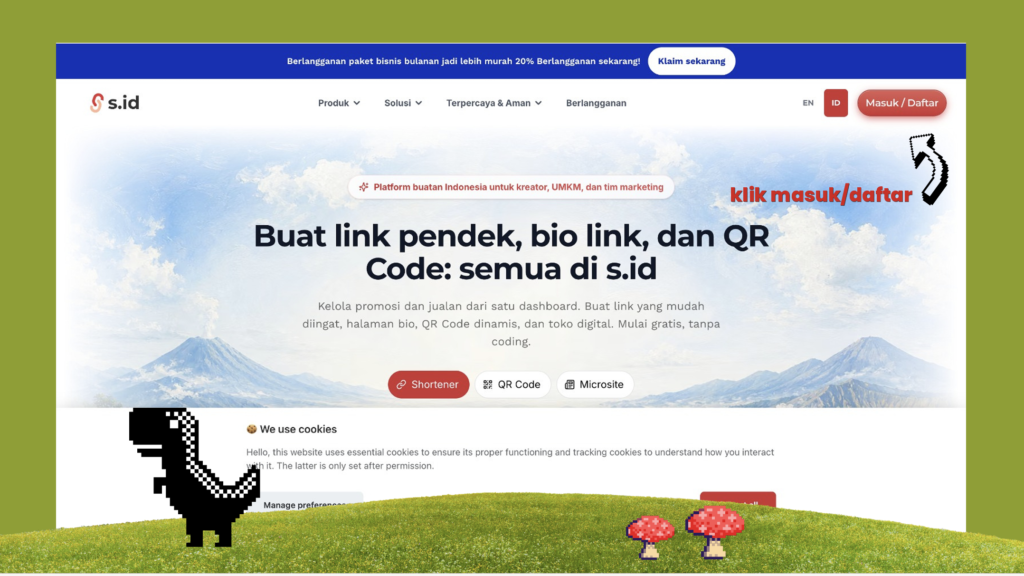
First, open s.id. then sign up.
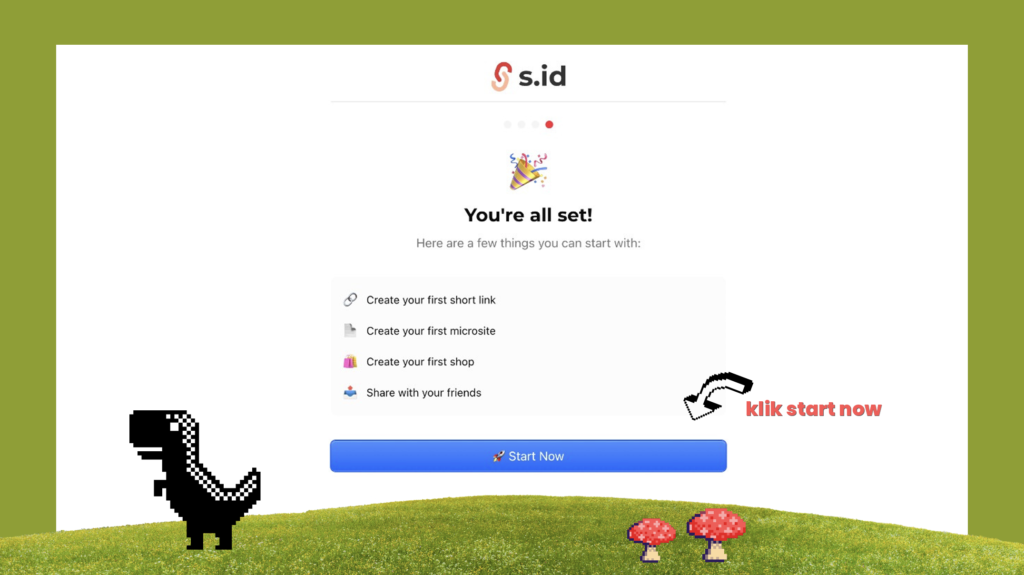
Until it’s like this, click start now.
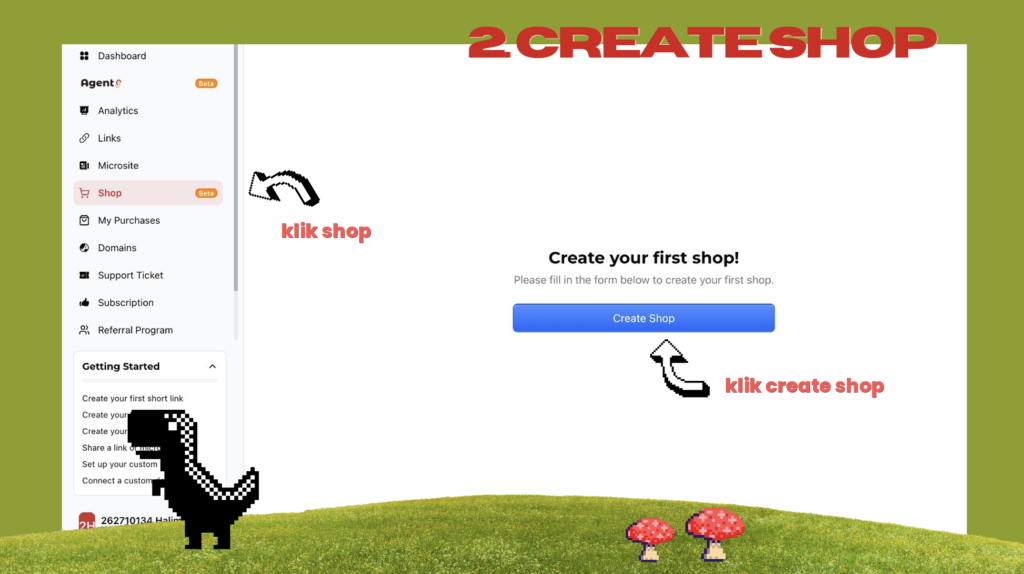
2. Create Shop
Go to shop, then click create shop.
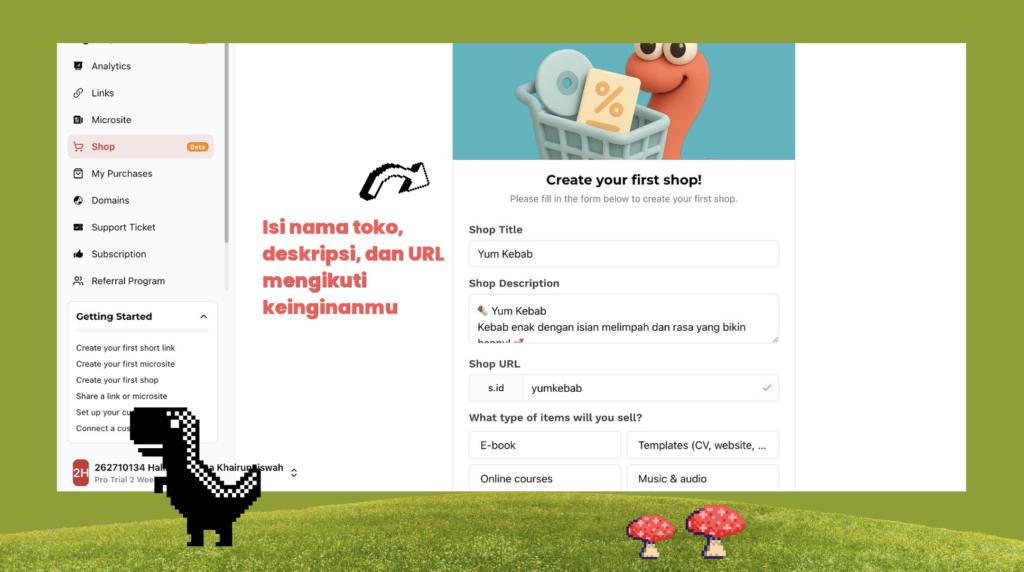
Fill your shop information. After it’s all filled, click create shop.
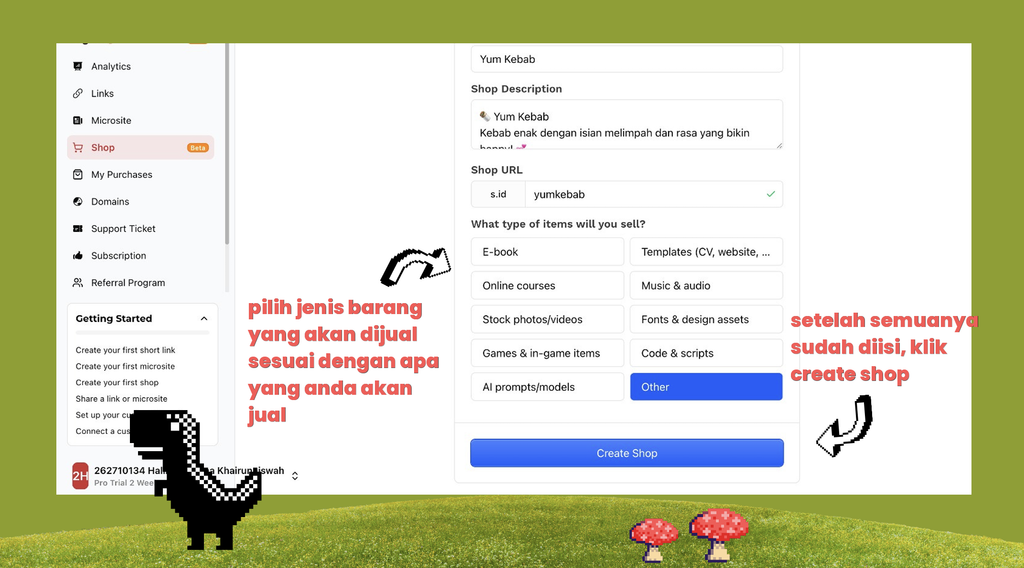
3. Set The Shop
a. Shop appearance, details, and seller contact
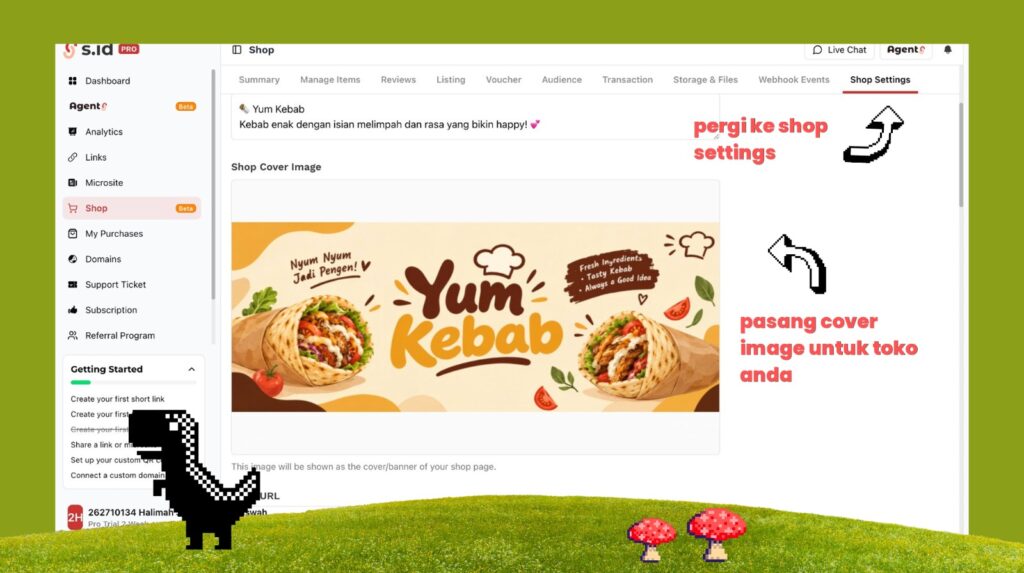
Go to shop settings, then put your shop cover image.
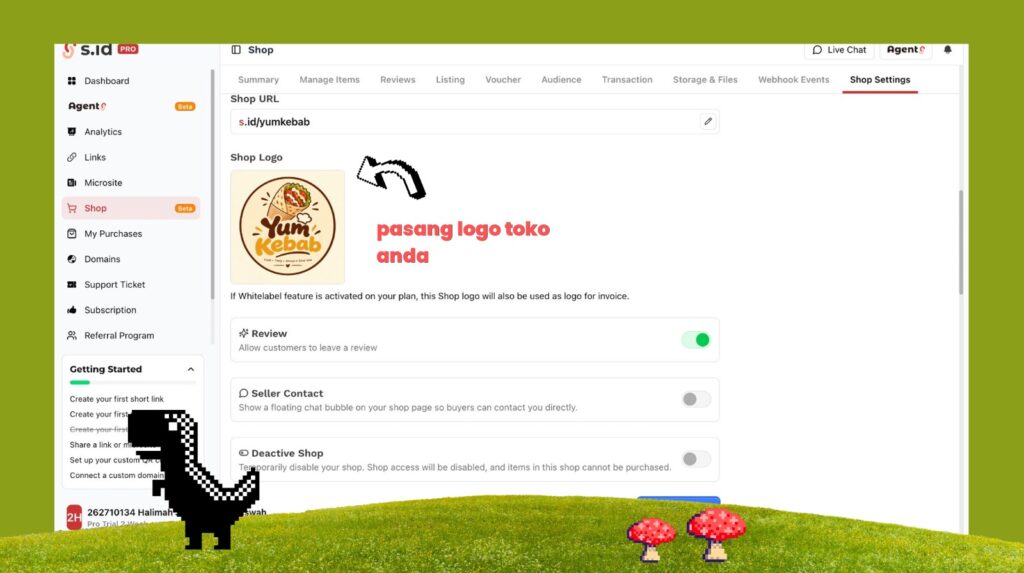
Put your shop logo. Activate celler contact and type your whatsapp number.
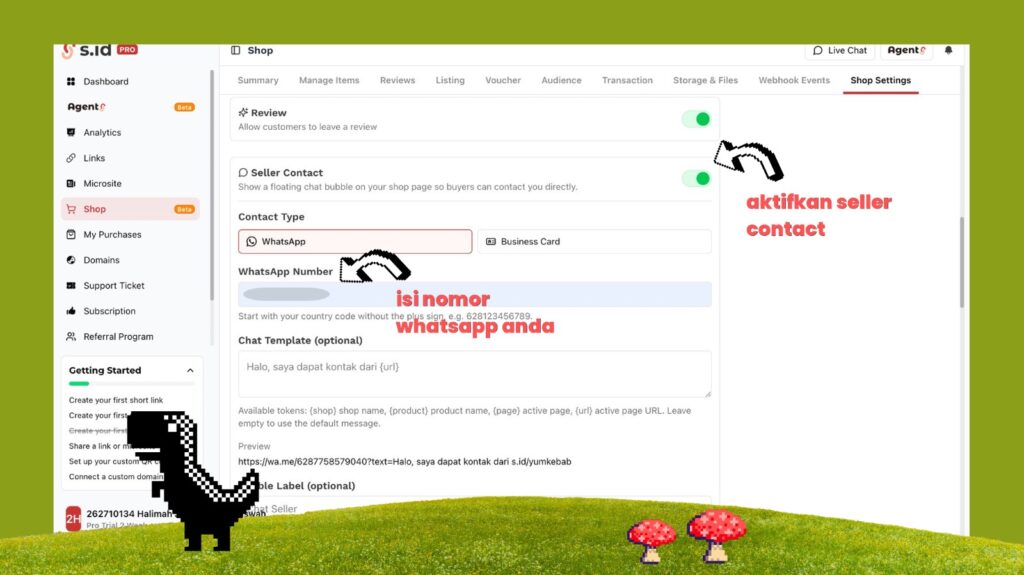
Click save changes.
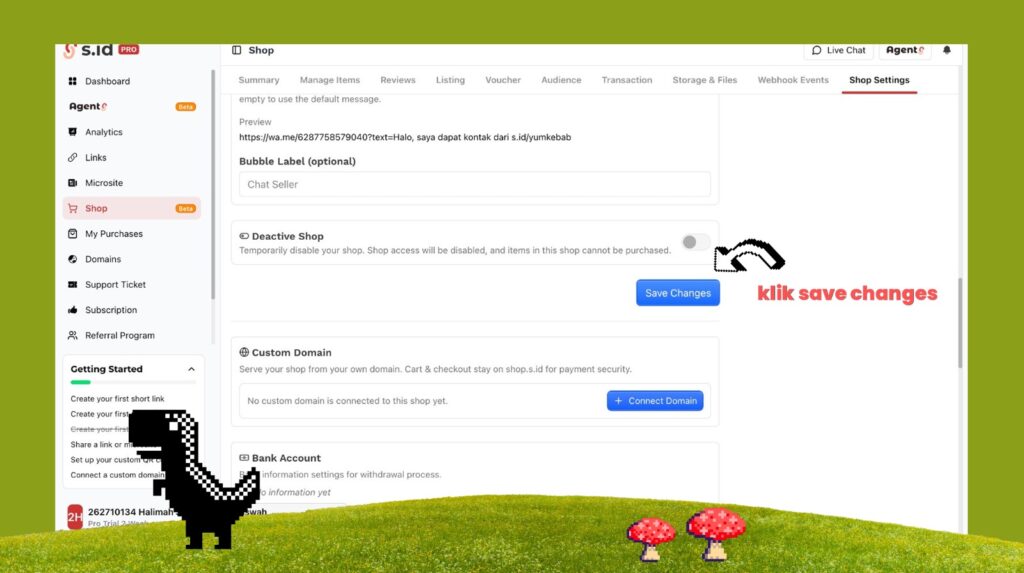
b. Add bank account
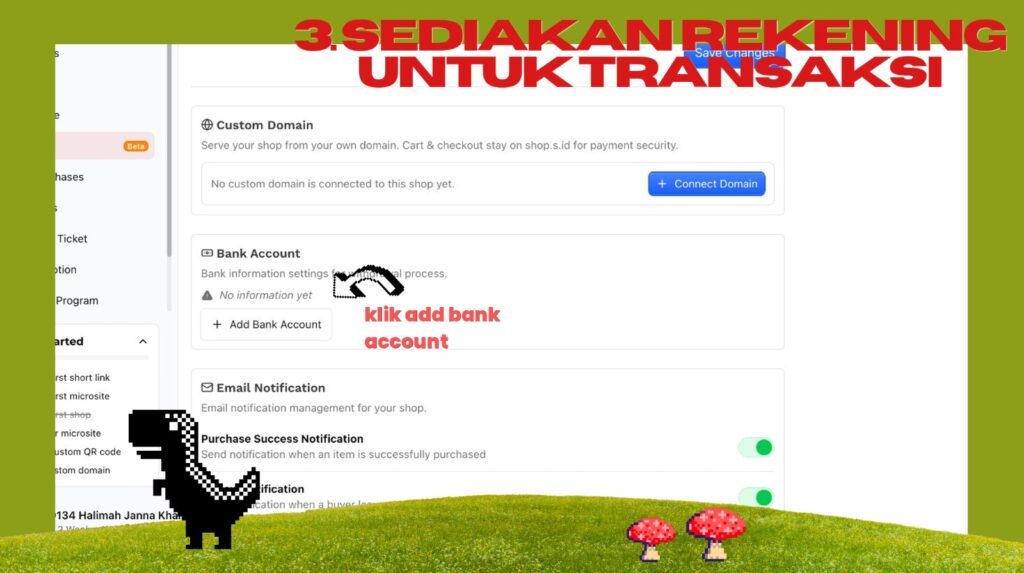
Click add bank account.
Click go to settings.
Click start link telegram account. (You must have a telegram account).
Click get token then click open telegram.
Send to s.id bot for verfication.
Go back to before, shop settings and scroll down, click add bank account then add your bank account there.
c. Add Categories and Products
Go to listing and click add new.
Fill the listing name and listing description then click save.
Go to manage items, click add items then click manual.
Fill all of the information for your product then click create new item.